
AI stream clipper for Twitch and Kick
Paste a past Twitch or Kick stream. Clipr reads its chat, viewer clips and loud moments, then drafts vertical Shorts you can edit and render.
What you get
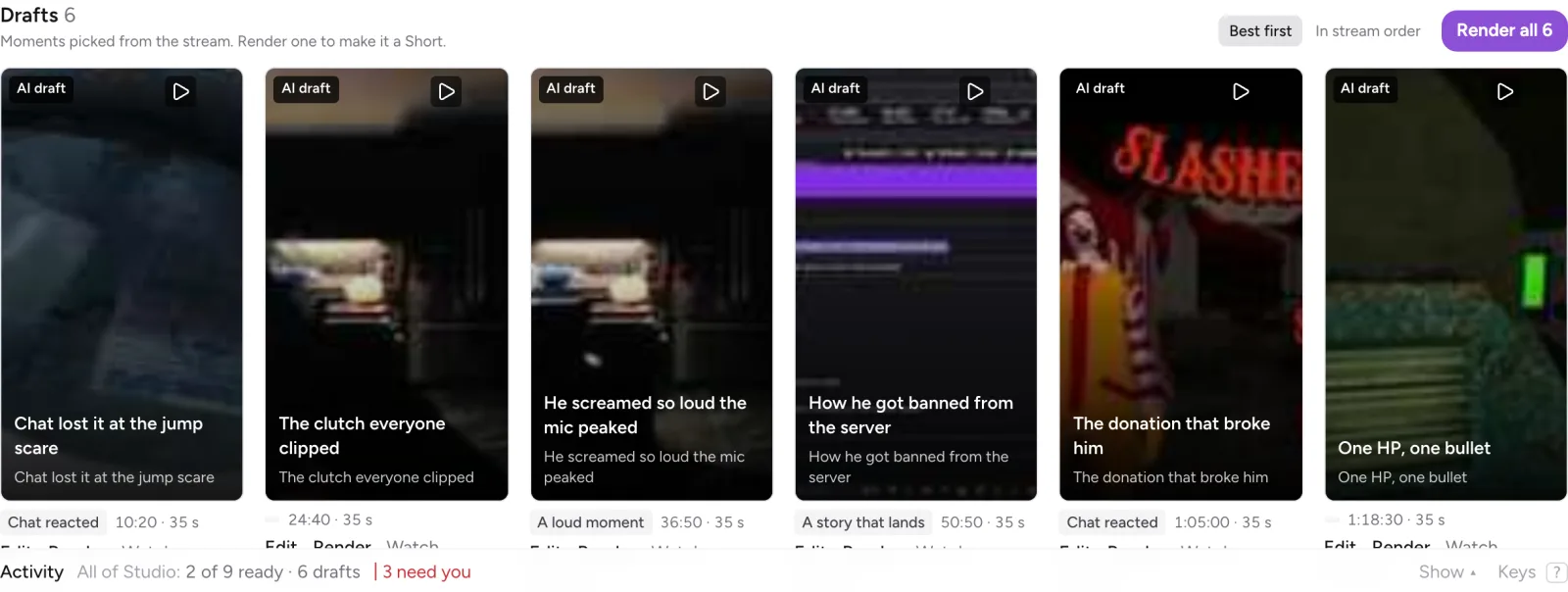
Press Find moments and wait about 5 to 15 minutes (you can close the tab). You get up to 30 drafts of 10 to 90 seconds, each labelled with why it was picked. Edit the ones you like and render them as Shorts. A draft is a starting point: you decide what goes out. With little chat to read, Clipr listens to the whole stream and picks from what was said. A pick ends after the laugh or the reply, not before it.
Up to 30 drafts from one stream
Paste a Twitch or Kick VOD. Clipr reads the chat, the viewer clips and the loud moments, then drafts Shorts of 10 to 90 seconds, each with the reason it was picked.
A score on every draft, best first
Each draft can carry a score from 10 to 99, built from the AI's ratings of its hook, flow, value and trend, and drafts are listed by what people went on to render. It is a guide for where to look first, not a promise of views.
Tell it what to look for
Type a line such as "clutch plays" above Find moments. The ranking prefers matching moments, tags them "On focus" and lists them first.
Your facecam, found for you
Drafts start with your camera on top and the game below, found from the stream's own frames. No camera in the clip: it starts as a full-screen crop.
Edit the video by editing its words
The Words tab shows what was said as text. Cut a word or a section and that part of the video goes with it; fix a caption word, or clean out the "um"s in one press.
Hook cards
Animated cards for the start of a Short: a comment reply, a DM bubble, a notification, a social post or a breaking banner.
What it costs
One stream per account to try Find moments, and up to 3 of its drafts rendered as Shorts (3 in total, not per month). Downloads of Twitch and Kick clips and VODs are free with no account.
Free
$0
One stream to try
- Find moments on a stream
- Hears what was said on quiet streams
- Clip ends that keep the aftermath
- A score on drafts, and a best-first order
Starter
$9 a month
$84 a year (about $7 a month)
10 hours of streams a month
- Everything in Free
- Streams over 10 hours
- Cut a part of the stream yourself
- Facecam found for you
- A crop that follows a face
Creator
$19 a month
$168 a year (about $14 a month)
100 hours of streams a month
- Everything in Starter
- Auto Pilot: moments after every stream
- Video links
Pro
$29 a month
$252 a year (about $21 a month)
300 hours of streams a month
- Everything in Creator
Starter: $0.90 an hour on the monthly price ($9 for 10 hours), $0.70 an hour billed yearly ($84 a year). Creator: $0.19 an hour on the monthly price ($19 for 100 hours), $0.14 an hour billed yearly ($168 a year). Pro: $0.10 an hour on the monthly price ($29 for 300 hours), $0.07 an hour billed yearly ($252 a year). Price per hour is the plan price divided by its hours of stream, rounded to the cent.
Everything each plan includes is on pricing.
Questions
What does Clipr's AI stream clipper do?
You paste a Twitch or Kick VOD link and press Find moments. Clipr reads the stream's chat, viewer clips and loud moments, and what was said, then gives up to 30 drafts of 10 to 90 seconds that you can edit and render as vertical Shorts.
Does it work on Kick?
Yes. Find moments takes Twitch and Kick VOD links (past broadcasts). It works on streams, not on single clips.
How long a stream can it read?
A run reads up to 10 hours of a stream. On a longer stream you pick which 10 hours to read, then search the next 10. A run reads up to 10 hours. For a longer stream you pick which 10 hours to search, and can search another 10 hours afterwards.
Can I use my own file or a video from another site?
Upload an MP4, MOV, MKV or WebM file to edit into a Short; Find moments reads uploads over 10 minutes. Paste a link to a video on another site and work on it like an upload; you can download the original afterwards. Find moments on a Twitch or Kick VOD is the main use.
What if it finds nothing?
A run that fails never counts, and a finished run that finds no moments is given back, including your free stream.
Can it post the Shorts for me?
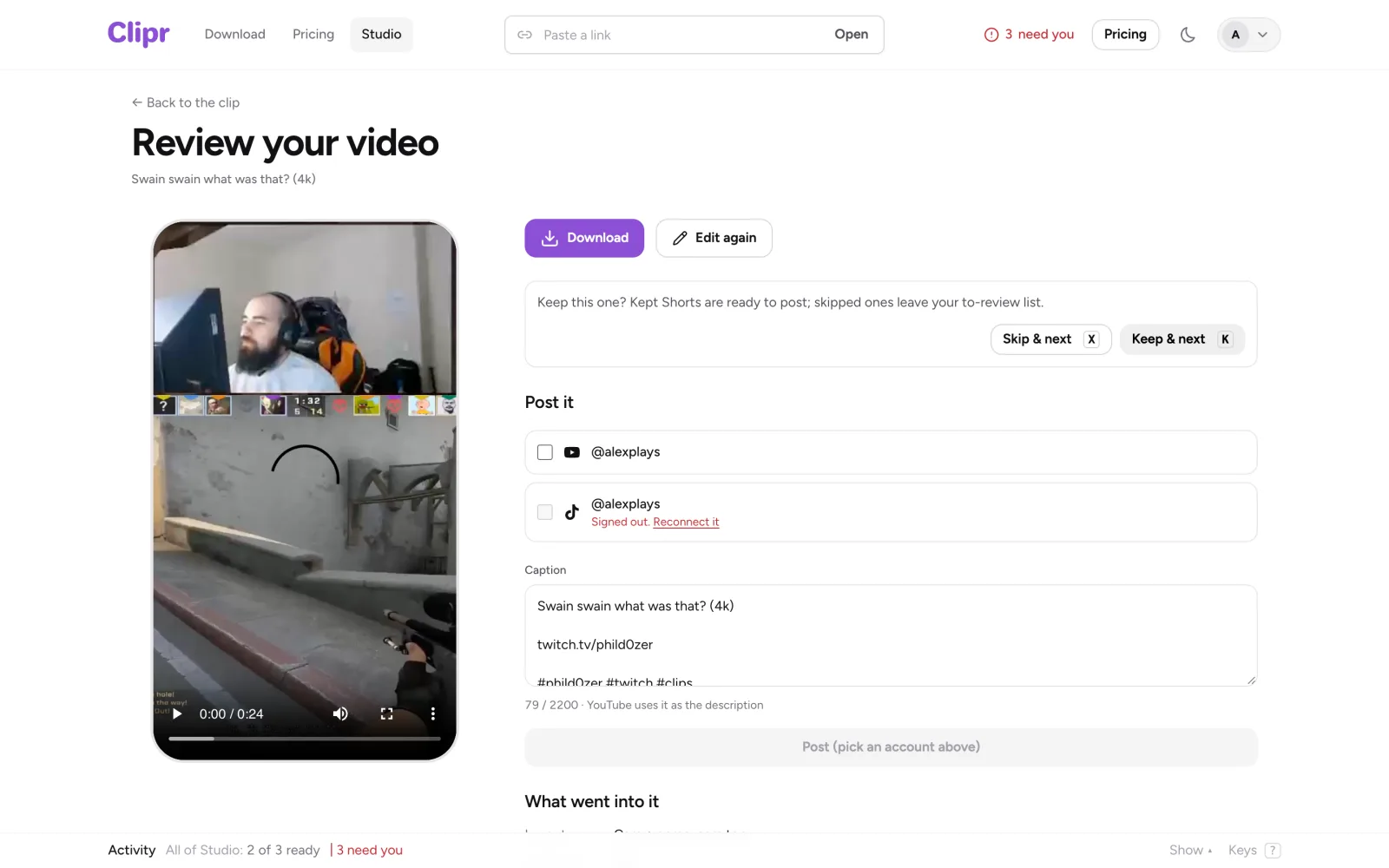
Posts to YouTube from Clipr on Starter and Creator and Pro; TikTok and Instagram are not available yet. Clipr does not promise views: the score on a draft is a guide to where to look first.