
How do I add captions to a Short?
In Clipr's Short editor, open the Captions tab and select Generate captions. Clipr writes the words for you. Free includes 30 captioned Shorts a month; Starter and Creator are unlimited (fair use).
Step by step
- Open the clip in Studio and press Make a Short. See making a Short.
- In the inspector, open the Captions tab.
- Under Add captions, select Generate captions.
- Wait while it moves through Sent, Waiting for a worker, Listening and writing the words and Ready to style.
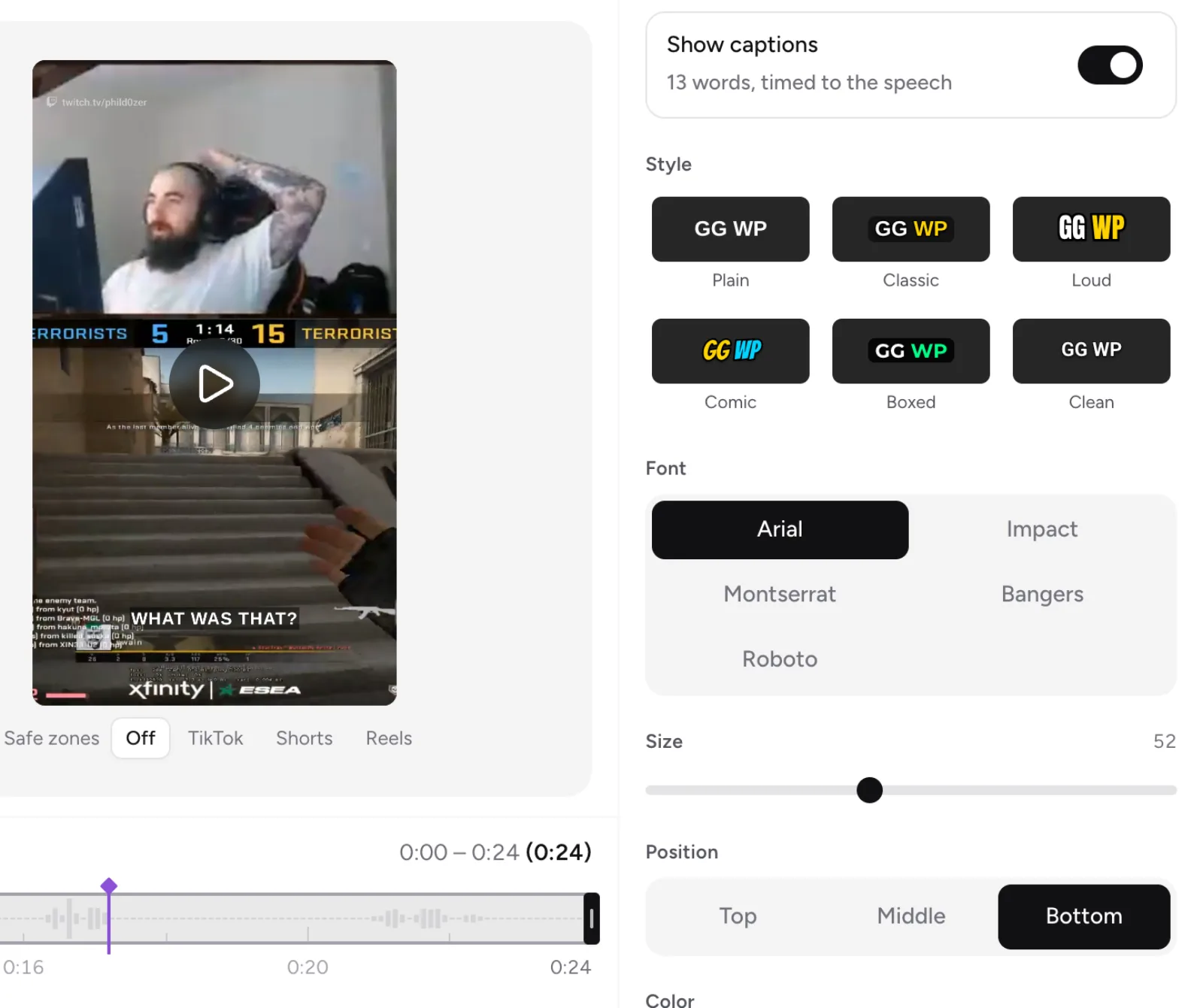
- When it says "Captions are ready: N words…", check the words and the style. Use the Show captions switch to show or hide them.
Next steps
- Fix any wrong words in the Words tab. See fixing caption words.
- Change the font, color and position. See caption styles.
- Cut the silences with Remove pauses. See trimming and removing pauses.
Language
There's no language picker. Clipr uses the stream's language when it can, and otherwise detects it.
More questions
It says "Captions could not be started".
Wait a minute and select Try again. If it keeps failing, contact [email protected] or ask on Discord.
Does a failed run use my allowance?
No. Failed runs and clips with no speech aren't counted. See captioned Shorts allowance.
Can I add captions without an account?
No. The quick converter offers Add captions with a free account. Signed in, it shows Add captions in the editor · N left.
Updated November 4, 2026. Still stuck? Ask on Discord or email [email protected].