
How do I make a Short from a Twitch or Kick clip?
Paste the clip link into Clipr Studio, select Open, then press Make a Short on the clip's page. In the editor you pick a layout, add captions and extras, and select Make the Short to get a 1080 × 1920 MP4.
Step by step
- Go to Studio Home ("What are we cutting?") and paste the link into Paste a clip or VOD link.
- Select Open, then press Make a Short on the clip's page.
- Pick a layout and place the crop on the source frame. See layouts.
- Open the Captions tab and add captions if you want them. See adding captions.
- Select Make the Short. The first time, confirm you have the rights to the clip with Yes, make it.
- When it's done, download it from the Short's page. See downloading your Short.
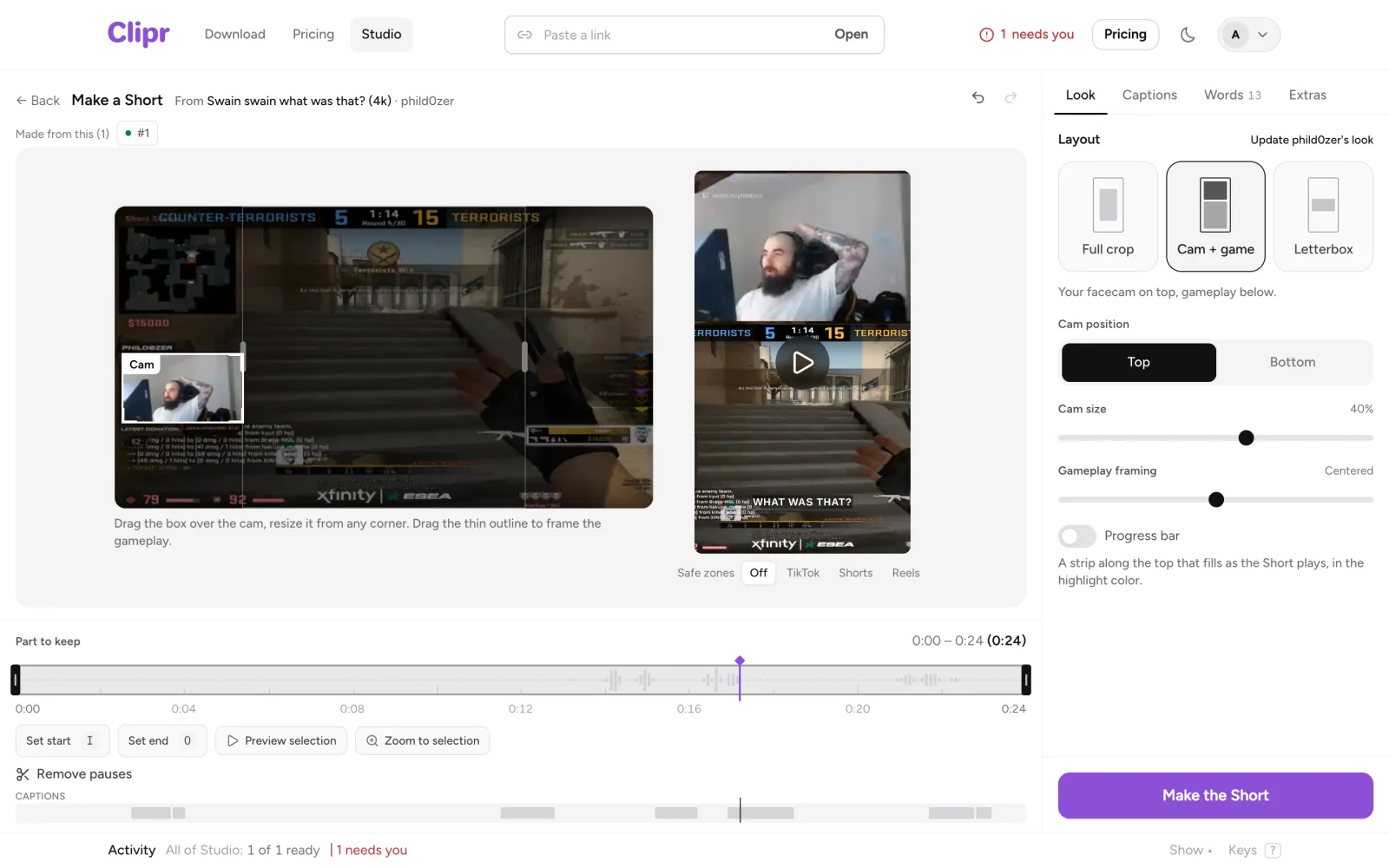
What's in the editor
- The source frame on the left, where you place the crop or cam box.
- The vertical preview in the middle, with Safe zones for TikTok, Shorts or Reels (key S).
- The timeline below, for trimming and pauses.
- The inspector on the right, with the tabs Look, Captions, Words and Extras.
Use Undo and Redo (⌘Z and ⌘⇧Z) at the top. Space plays, and 1-3 switch layouts. The arrow keys nudge or seek, comma and period step one frame, and Delete removes a selected item.
Without the editor
Signed out, Make a Short in the site's menu opens a quick converter. It crops a clip to 9:16 and downloads it free in your browser, with a small watermark. See turning a clip into a TikTok. From there you can move to the editor to add captions, and your crop, layout and cam box carry over.
More questions
Do I need an account?
Yes, to make a Short in the editor. Signed out, the main button reads Sign in to create. The quick converter works without one.
I closed the tab. Did I lose my edits?
Unsaved edits are kept in your browser. When you come back you'll see "You have unsaved edits…" with Restore and Discard.
What does it cost?
Making Shorts is free, with a small clipr.gg mark and 30 captioned Shorts a month. See Free and paid.
Updated November 4, 2026. Still stuck? Ask on Discord or email [email protected].