
What is Studio?
Studio is your signed-in workspace on Clipr, at clipr.gg/studio. You paste a clip or VOD link there to start a Short, and it keeps your recent sources, the work in progress and your finished Shorts in one place.
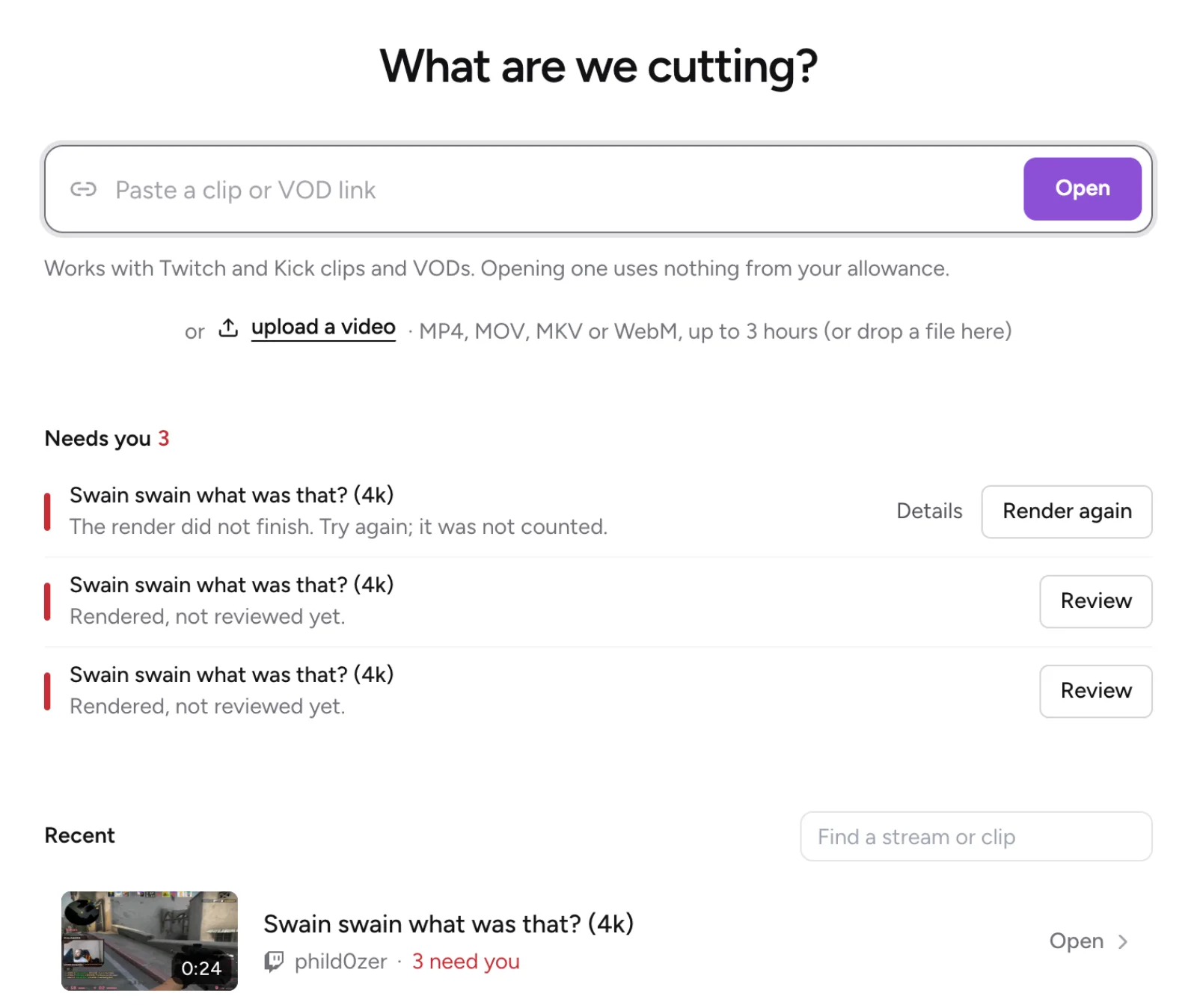
Studio Home
Home opens with What are we cutting? and a paste box, Paste a clip or VOD link. Paste a Twitch or Kick link and select Open. On a paid plan you can also upload your own video (see upload a video).
Below that you'll find:
- Needs you
- Working now
- Recent: your last 20 sources, with a search box, Find a stream or clip.
On Free, an allowance bar shows how many captioned Shorts you have left this month and how many are on hold.
Tabs
Studio has up to three tabs: Home, Posts and Accounts. Accounts shows on a paid plan, and Posts once you have an account to post to or a post. On Free, Studio shows Home only. To post Shorts on a paid plan, see connect YouTube and post a Short.
More questions
Where are my finished Shorts?
Open the source on Studio Home. Its page lists your Shorts under Ready to post, Posted & scheduled and Rendering.
How do I make my first Short?
Paste a clip link into the box on Studio Home and select Open. See make a Short.
Updated November 4, 2026. Still stuck? Ask on Discord or email [email protected].